
If you run a small business, you probably do not need “more AI.” You need fewer manual steps, fewer disconnected tools, and fewer tasks eating up your team’s day.
That is why the best approach to ai for small businesses is not a big, expensive transformation project. It is using AI in a practical way to remove repetitive work, improve communication, and make better decisions with the systems you already have.
At OneThingSimpler, we see the same pattern over and over: business owners are buried in follow-ups, reporting, scheduling, customer questions, admin work, and inconsistent handoffs between tools. The good news is that ai for small business can help without forcing a total overhaul of your operations.
In this guide, we will cover seven high-impact, low-complexity ways to use AI right now, plus where to start, what to avoid, and how to get real value from ai solutions for business.
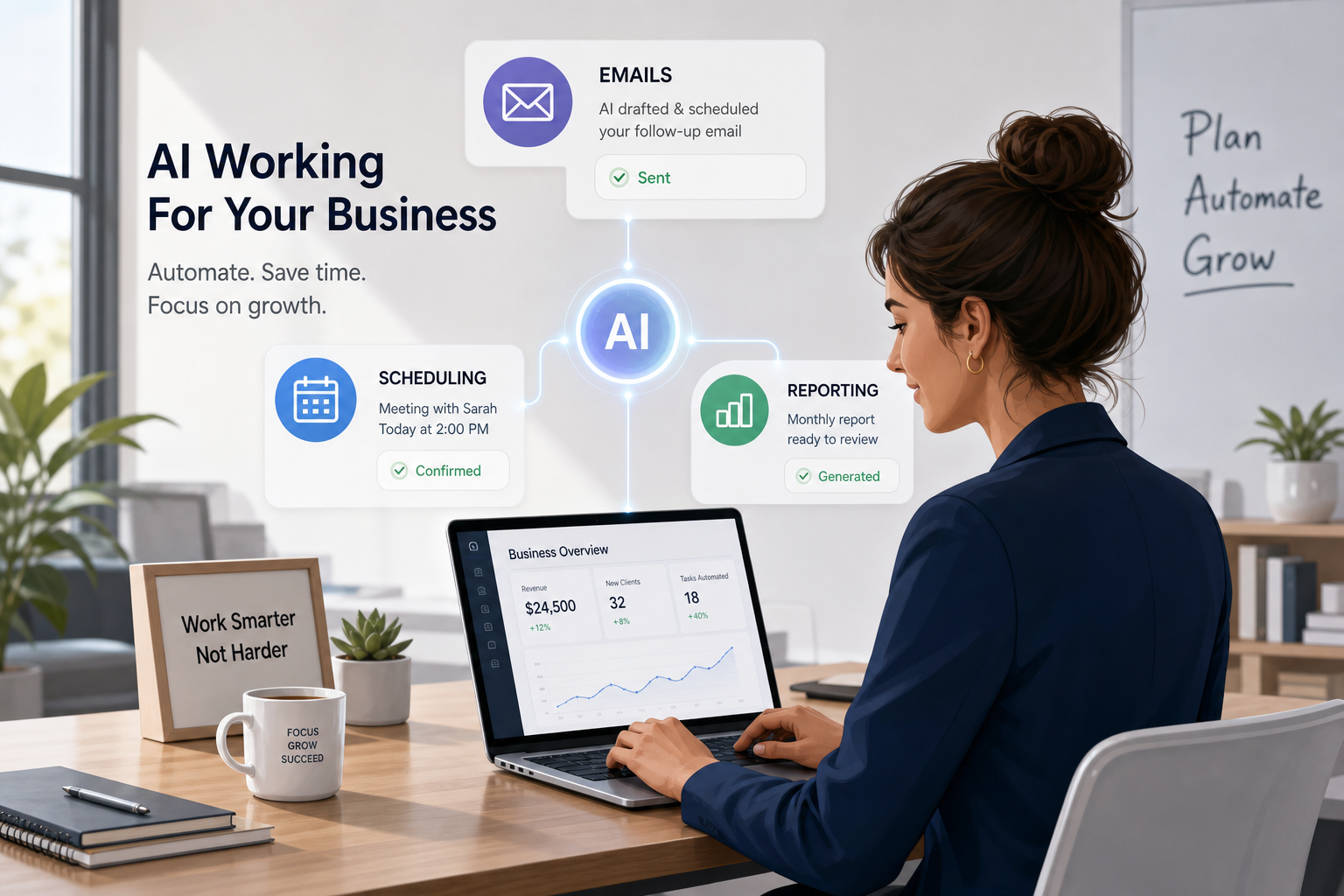
“As of 2026, 68% of small businesses have adopted at least one AI tool, with customer service and marketing being the top areas of implementation.” – Source
“A 2025 Paychex survey of over 500 small business owners and HR leaders found that 66% of those using AI reported increased productivity, and 44% cited cost savings as key benefits.” – Source
Why Small Businesses Are Turning to AI Now
Most competitor articles focus on broad benefits like efficiency, innovation, and cost savings. Those points are true, but they often stay too general. What is usually missing is the operational reality:
- teams are switching between too many apps
- valuable information gets stuck in inboxes and meetings
- reporting is delayed or incomplete
- customer communication is inconsistent
- repetitive tasks still rely on manual copying and pasting
That is where practical AI wins. The best use cases are not flashy. They are useful.
What makes AI actually valuable for a small business?
AI becomes valuable when it helps you:
| Business Need | Practical AI Outcome |
|---|---|
| Reduce manual busywork | Drafts, summaries, auto-filled fields, workflow triggers |
| Improve customer communication | Faster replies, better follow-ups, chatbot support |
| Use your existing stack better | Connect CRM, forms, email, calendar, invoicing, and reporting |
| Spot inefficiencies | Audit bottlenecks, duplicate tasks, missed handoffs |
| Support growth | More output without adding equivalent headcount |
If your current tools are fragmented, a focused AI tool stack audit for small business can often uncover faster wins than buying another platform.
The 7 Most Practical Uses of AI for Small Businesses
1. Write and Personalize Emails Faster
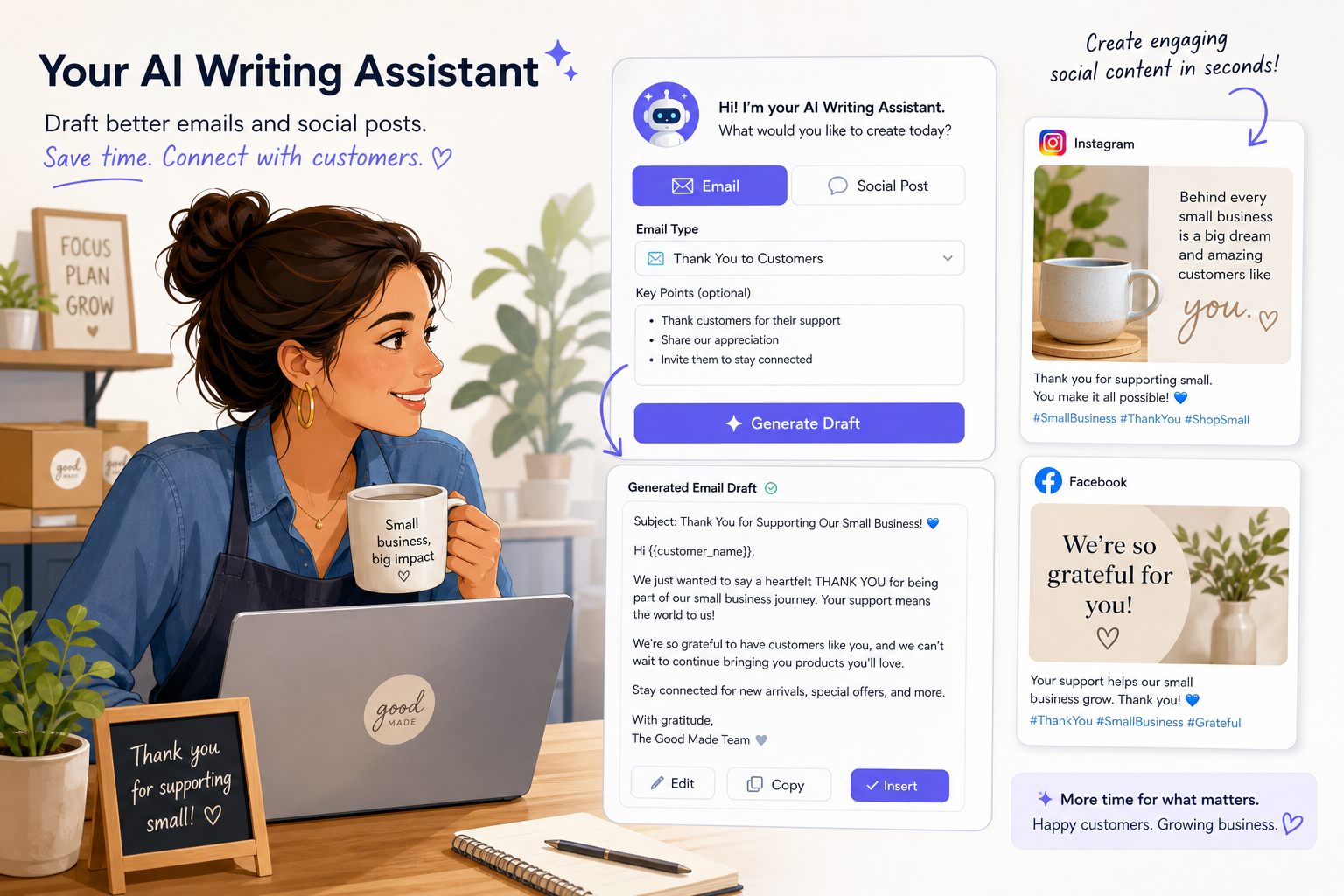
Email remains one of the biggest time drains in small business operations. Sales follow-ups, appointment confirmations, customer check-ins, proposal nudges, newsletters, and internal updates all take time to write well.
AI can help you:
- draft first versions quickly
- adjust tone for different audiences
- personalize messages using customer details
- create subject line options
- turn short bullet points into polished copy
Best small business use cases
- lead follow-up emails
- client onboarding sequences
- appointment confirmations
- renewal reminders
- review request emails
- weekly newsletters
Why this matters
You do not need AI to fully replace your voice. You need it to remove blank-page friction and speed up repetitive writing. A business owner who writes 20 similar emails a week can recover hours every month with simple AI assistance.
Practical tip
Create a few approved prompts and templates for your most common email types. That gives you speed without sacrificing brand consistency.
2. Create Social Media and Marketing Content Without Starting From Scratch
AI is especially useful when marketing gets stuck because nobody has time to write. Instead of waiting until the last minute, you can use AI to create a reliable content workflow.
AI can help with:
- caption drafting
- post ideas by audience or offer
- repurposing blogs into short posts
- turning FAQs into content
- adapting one message for LinkedIn, Instagram, and email
- generating content variations for testing
What competitors often miss
Many articles mention “social media content” but do not explain the real win: consistency. For small businesses, the problem is usually not lack of ideas. It is lack of time and process.
That is why AI works best when paired with simple automation. One good piece of content can become multiple assets when your workflow is set up correctly.
Example workflow
| Starting Asset | AI-Assisted Output |
|---|---|
| Blog post | 3 social posts, 1 email teaser, 1 short video script |
| Customer testimonial | Case study summary, website quote, social graphic copy |
| Sales call notes | FAQ content, objection-handling email, ad angle ideas |
For businesses that want this done in a structured, repeatable way, AI automations and integrations can connect content inputs, approvals, and publishing workflows so your team spends less time chasing assets.
3. Analyze Customer Data and Spot Sales Opportunities
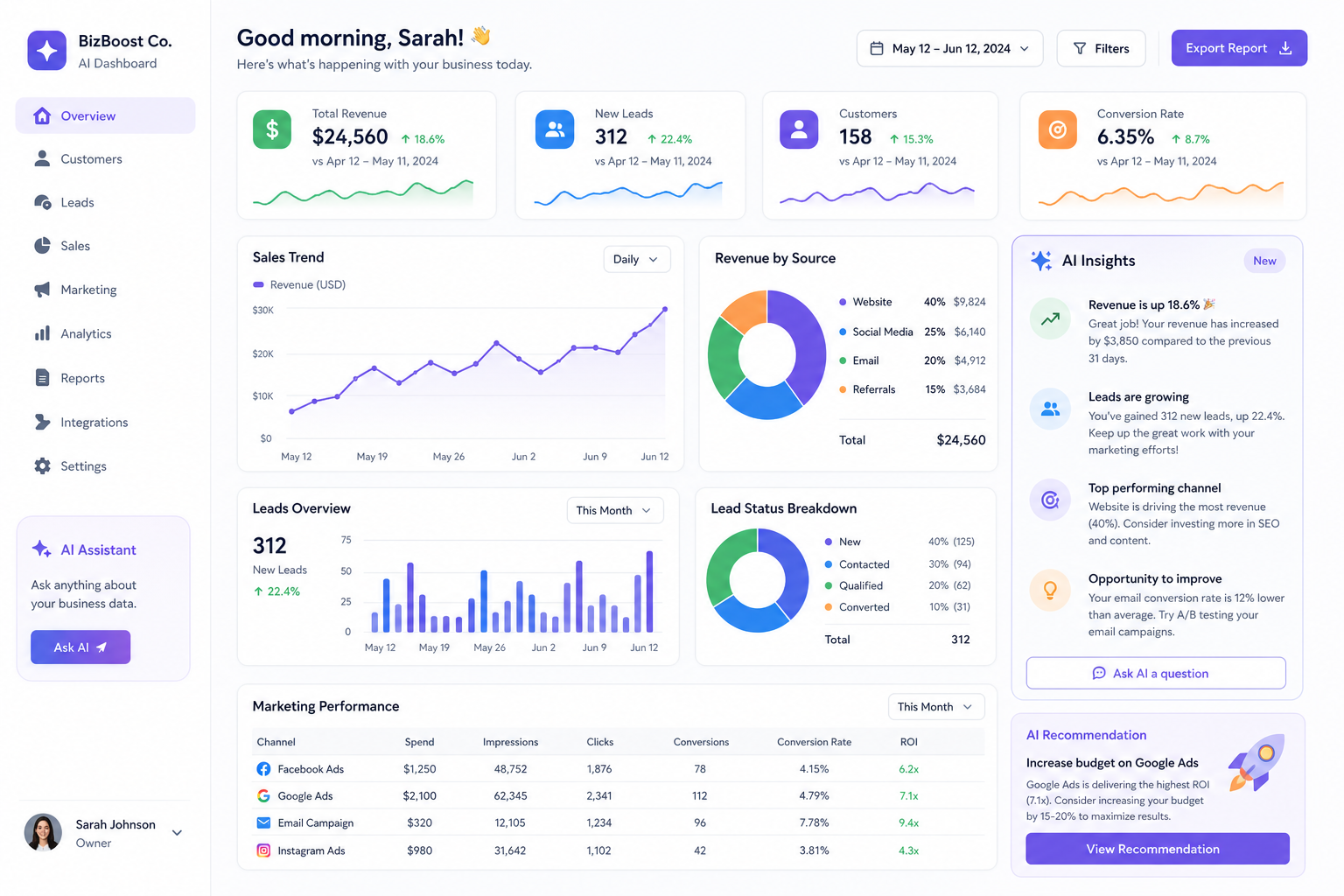
One of the most useful forms of ai solutions for business is helping owners make sense of the data they already have.
Most small businesses are sitting on information in:
- CRM records
- forms
- invoices
- customer service tickets
- email threads
- call notes
- ecommerce platforms
- marketing dashboards
The issue is not lack of data. It is lack of clarity.
AI can help identify
- repeat buyers and high-value customers
- leads most likely to convert
- churn risks
- common service complaints
- campaign patterns
- top-performing channels or offers
Why this is powerful
When AI helps you summarize and interpret customer behavior, your business can prioritize better. Instead of treating every lead and every customer interaction the same, you can focus on the highest-impact actions.
Practical example
A service business might use AI to review intake forms and call notes, then flag prospects with urgent needs, high budget fit, or repeat service potential. That creates faster response times and better close rates.
4. Automate Repetitive Admin Tasks Across Your Tools
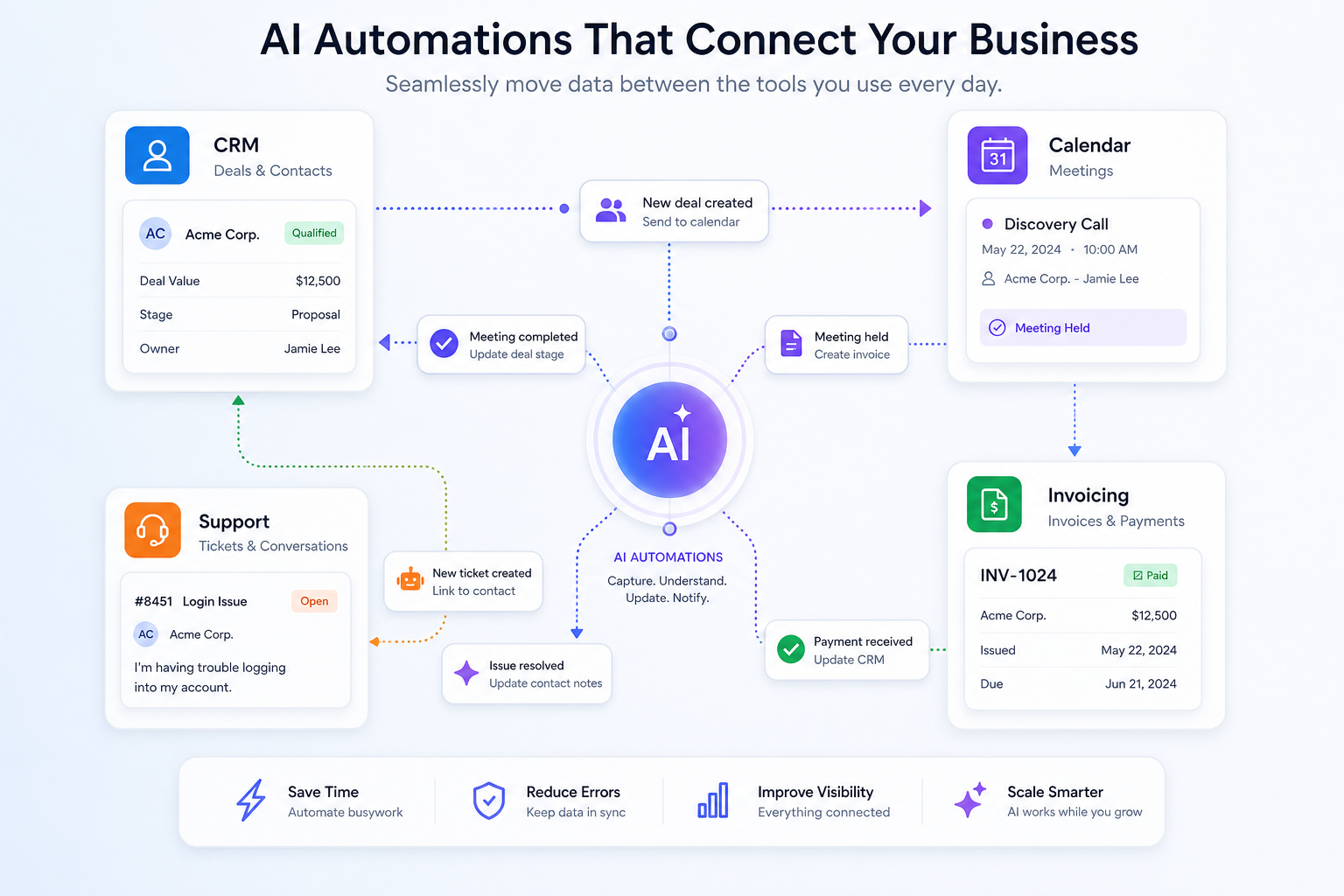
This is often the fastest-return use case of all.
Small businesses waste enormous amounts of time on tasks like:
- entering the same data into multiple systems
- assigning follow-up tasks after meetings
- sending reminders manually
- updating lead stages
- moving files between apps
- copying notes from calls into CRMs
- creating recurring reports by hand
These tasks seem small, but together they create operational drag.
AI and automation work best together
AI handles interpretation, drafting, summarizing, or classification. Automation handles movement, routing, and triggering.
For example:
- AI summarizes a sales call
- automation sends the summary to the CRM
- a task is created for the account owner
- a follow-up email draft is generated
- the lead stage updates automatically
That is how you reduce busywork without changing your whole business model.
Start with one workflow
Pick one annoying, repeatable process that happens every day or every week. The best candidates usually involve:
- high volume
- clear rules
- frequent delays
- multiple tools
- low strategic value but high time cost
This is where custom-fit systems outperform generic advice. The right custom AI solutions can be built around how your business already operates instead of forcing your team into a new rigid process.
5. Improve Customer Support and Response Times
Customers expect speed. Small teams do not always have the bandwidth to respond instantly.
AI can help bridge that gap without making your business feel robotic.
Practical customer support uses
- website chat for FAQs
- instant responses to common inquiries
- ticket classification and routing
- suggested replies for email support
- review response drafting
- after-hours support intake
Good use of AI in support
Good AI support does not try to fake human empathy. It handles the repetitive first layer well, then escalates when nuance is needed.
That means customers get faster answers to simple questions like:
- What are your hours?
- Do you serve my area?
- How do I book?
- What does this service include?
- Where is my order?
- How do I update my account?
Important caution
Always review your customer-facing AI experience for tone, accuracy, and brand fit. Speed matters, but trust matters more.
6. Generate Proposals, Notes, and Internal Documentation
A practical but underrated use case for ai for small businesses is documentation.
Many teams lose time because key information is buried in meetings, inboxes, or someone’s memory. AI can turn messy inputs into organized outputs.
Useful documentation tasks for AI
- summarize meetings
- convert call transcripts into action items
- draft proposals from discovery notes
- turn SOPs into cleaner process documents
- generate onboarding checklists
- create summaries for leadership review
Why this matters operationally
Documentation is one of the biggest hidden bottlenecks in growing businesses. Without clear notes and standardized outputs, teams duplicate effort, miss deadlines, and make avoidable mistakes.
AI makes documentation faster, but the bigger value is consistency.
Example
After a client call, AI can produce:
- a concise summary
- action items
- a draft proposal outline
- next-step email copy
- CRM notes
That saves time and reduces handoff errors at the same time.
7. Build Better Dashboards, Reporting, and Decision Support
Many businesses do not need more reports. They need reporting they can actually use.
AI can improve reporting by helping you:
- combine data from multiple tools
- summarize what changed
- explain likely causes of performance shifts
- highlight unusual patterns
- prepare executive snapshots
- reduce manual spreadsheet work
What this looks like in real life
Instead of logging into five platforms and trying to interpret everything manually, leaders can receive one clear summary:
- leads are down 12% this week
- response time improved
- one campaign is outperforming the rest
- three deals are at risk because no follow-up was logged
- support volume increased around one product issue
That is more useful than a pile of disconnected dashboards.
For teams struggling with visibility, a simple reporting system like the One Marketing Dashboard can help centralize performance data and make decision-making easier.
How to Choose the Right AI Use Case First
A common mistake is starting with the most exciting use case instead of the most practical one.
Use this quick prioritization table:
| Question | If Yes, Prioritize It |
|---|---|
| Is the task repeated often? | Strong AI candidate |
| Does it follow a predictable pattern? | Strong AI candidate |
| Does it involve too much manual copying, summarizing, or routing? | Strong AI candidate |
| Is it customer-facing and high-risk? | Start carefully with human review |
| Is the process already broken? | Fix the workflow before adding AI |
Best first projects for most small businesses
- email drafting and follow-up
- meeting summaries and task extraction
- CRM updates and admin automation
- FAQ support automation
- simple marketing content repurposing
Common Mistakes Small Businesses Make With AI
Competitor articles often celebrate AI benefits but gloss over execution mistakes. Here are the biggest ones to avoid.
1. Buying tools before defining the problem
Do not start with software. Start with friction.
2. Automating a messy process
AI can speed up a bad workflow, but that just creates faster confusion.
3. Expecting perfect output without review
Human review is still essential, especially for legal, financial, sales, and customer-facing content.
4. Leaving tools disconnected
The value of AI increases dramatically when your systems talk to each other.
5. Ignoring team adoption
If the process is complicated, your team will bypass it.
Risks to Keep in Mind
A smart article on AI should not ignore the tradeoffs. The SBA specifically encourages small businesses to think carefully about ethical use, security, IP, and customer trust.
Watch for these risks
- entering sensitive data into public tools
- inaccurate outputs presented as fact
- copyright or originality concerns
- poor customer experience from low-quality automation
- over-reliance on AI without process ownership
Best-practice guardrails
| Risk Area | Smart Safeguard |
|---|---|
| Data privacy | Avoid pasting confidential data into unsecured tools |
| Accuracy | Require review for critical outputs |
| Brand voice | Use approved prompts and templates |
| Customer trust | Be transparent where appropriate |
| Compliance | Review legal or regulated workflows carefully |
What Makes the Best AI Strategy Different?
The best AI strategy for a small business is not “use AI everywhere.”
It is:
- identify the repetitive work
- map where information gets stuck
- connect the right tools
- automate only what is worth automating
- add AI where interpretation or generation helps
- keep human oversight where trust matters
That is the difference between chasing trends and building operational advantage.
At OneThingSimpler, that is exactly how we approach AI: simplify first, automate second, scale third. The goal is not novelty. The goal is business outcomes.
Final Take: Start Small, But Start Intentionally
The most effective ai for small businesses does not look like science fiction. It looks like fewer manual tasks, faster follow-ups, cleaner reporting, and more consistent operations.
If your business is dealing with repetitive work, tool sprawl, unclear reporting, or communication bottlenecks, AI can absolutely help. But the highest ROI usually comes from targeted improvements, not massive change.
The smartest next step is to identify one workflow where time is being wasted every week and fix that first. Once you see value, you can expand strategically.
If you want help identifying the right opportunities, cleaning up inefficiencies, and implementing practical ai solutions for business that fit the way your team already works, OneThingSimpler can help you turn AI into real operational progress instead of another unfinished experiment.
FAQ
What can small businesses use AI for?
Small businesses can use AI for writing emails, creating marketing content, automating admin work, improving customer support, analyzing customer data, generating proposals, and simplifying reporting. The best use cases usually focus on removing repetitive tasks and improving speed without replacing human judgment.
What is the 10 20 70 rule for AI?
The 10 20 70 rule is a common way to explain AI transformation: roughly 10% is the algorithm, 20% is the data and technology, and 70% is people, process, and workflow change. In practice, small businesses get the most value when they improve operations around the tool, not just the tool itself.
What are the 7 main types of AI?
A common way to group the 7 main types of AI includes reactive machines, limited memory AI, theory of mind AI, self-aware AI, narrow AI, general AI, and super AI. For small businesses today, most real-world tools fall under narrow AI, which is designed to perform specific tasks well.
Which 3 jobs will survive AI?
Jobs that rely heavily on human judgment, relationship-building, and complex problem-solving are the most durable. Examples include strategic leadership roles, skilled sales or advisory positions, and hands-on service work that requires empathy, context, and trust.
What are the 5 big ideas in AI?
The 5 big ideas in AI are often described as learning from data, reasoning, problem-solving, perception, and language understanding or generation. In business terms, these ideas show up as prediction, automation, summarization, recommendations, and content creation.
What are the 7 main types of AI?
The phrase usually refers to a mix of functional categories and capability levels, including reactive machines, limited memory, theory of mind, self-aware AI, narrow AI, general AI, and super AI. For most small business applications, the practical focus is on narrow AI tools that improve specific workflows.